Nebula Vanguard Version 12 (NOVA A.I Director Core 2.0) with Full Code
A downloadable game for Windows, Linux, and Android
Nebula Vanguard: Starfall
Version 12
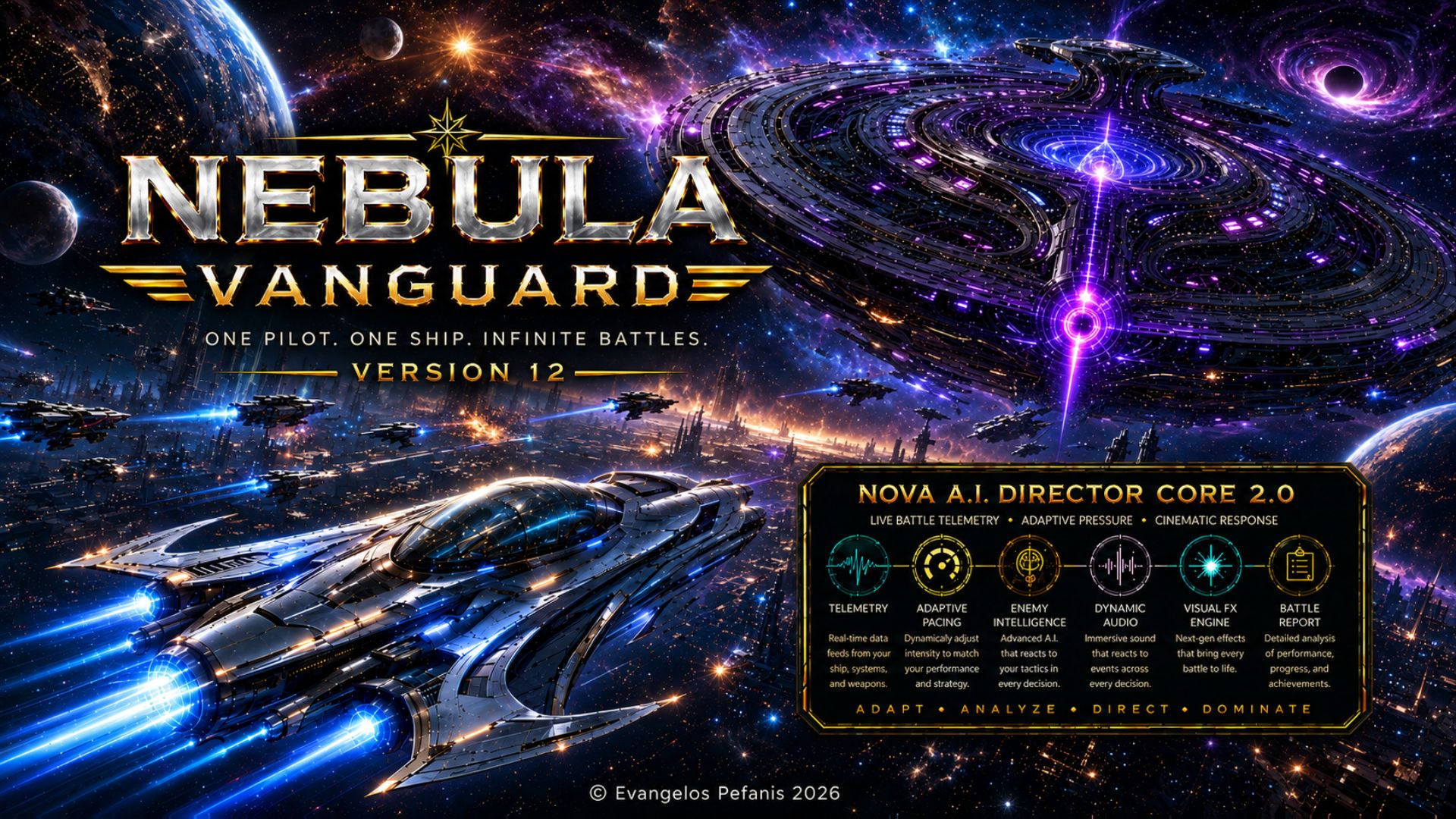
NOVA A.I. Director Core 2.0
Full Game with Full Code for Godot Engine 4.x
Windows Desktop / Windows Setup / Portable Build / Android APK Ready
Free use, modification and further development of the code according to the included license
© Evangelos Pefanis 2026
Nebula Vanguard: Starfall - Version 12
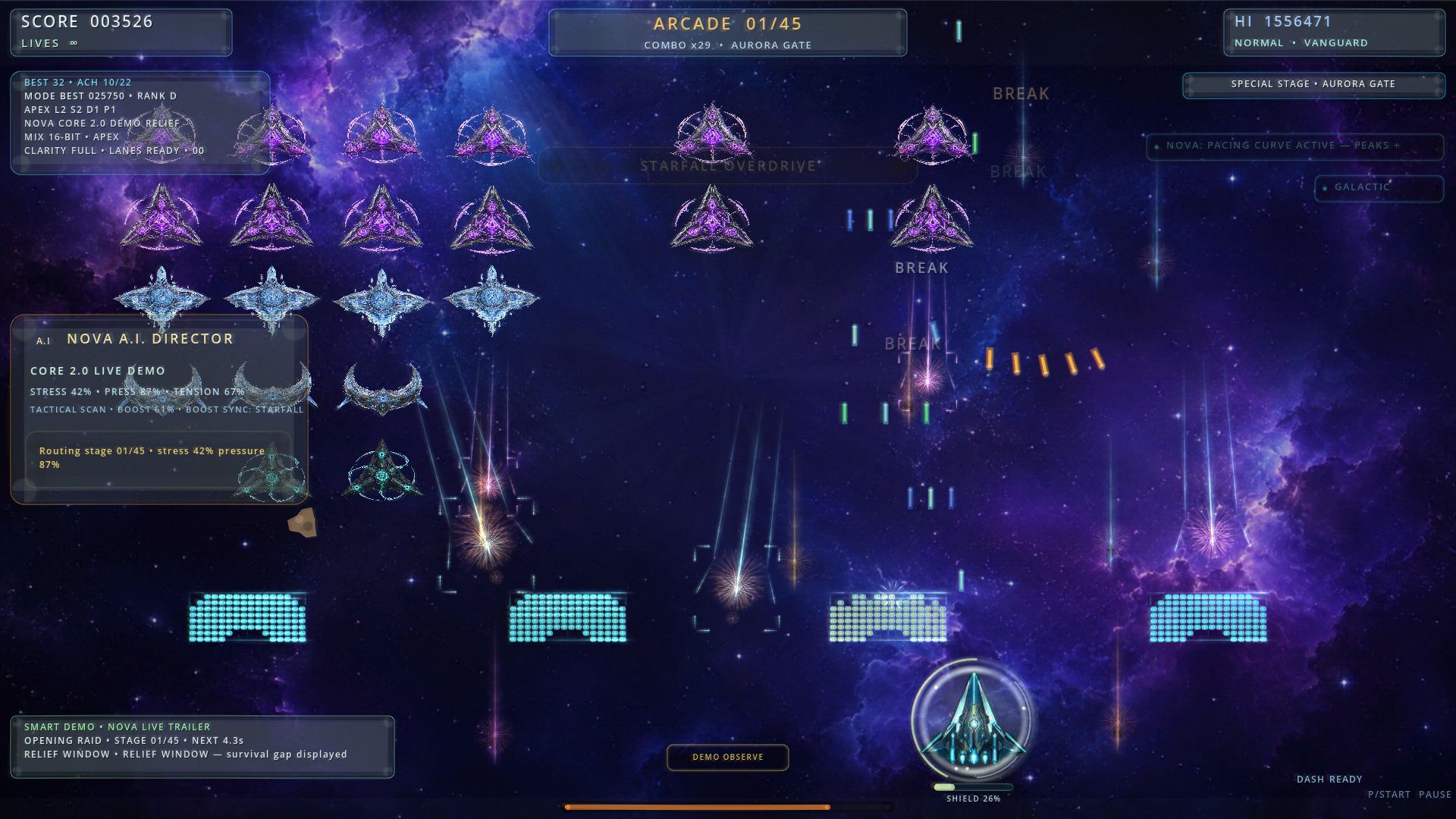
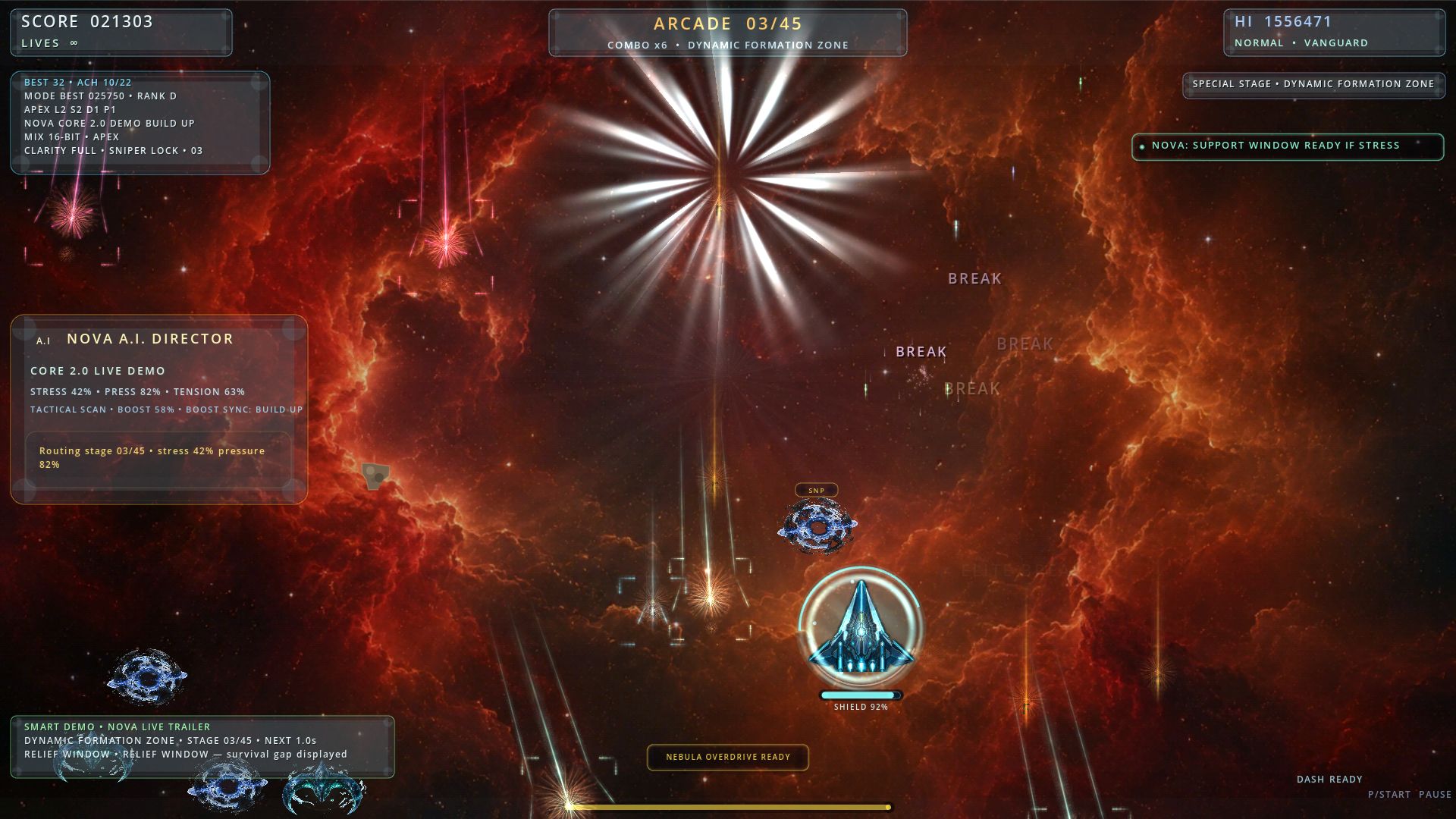
Nebula Vanguard: Starfall - Version 12 is a fully offline 2D sci-fi arcade space shooter built around fast action, alien fleet battles, UFO formations, intense boss encounters, 30 staged waves, dynamic visual effects, Windows desktop support, Windows setup workflow, portable Windows build support and Android installable APK export support.
The game was created with Godot Engine 4.x and GDScript, combining classic arcade shooter gameplay with modern visual presentation, fast combat flow and a cinematic sci-fi atmosphere. It includes animated sprite-based ships and UFOs, sci-fi backgrounds, music, sound effects, explosions, particles, shader-driven screen overlays, GPU visual effects, custom combat systems, touch-ready Android controls and local progression systems.
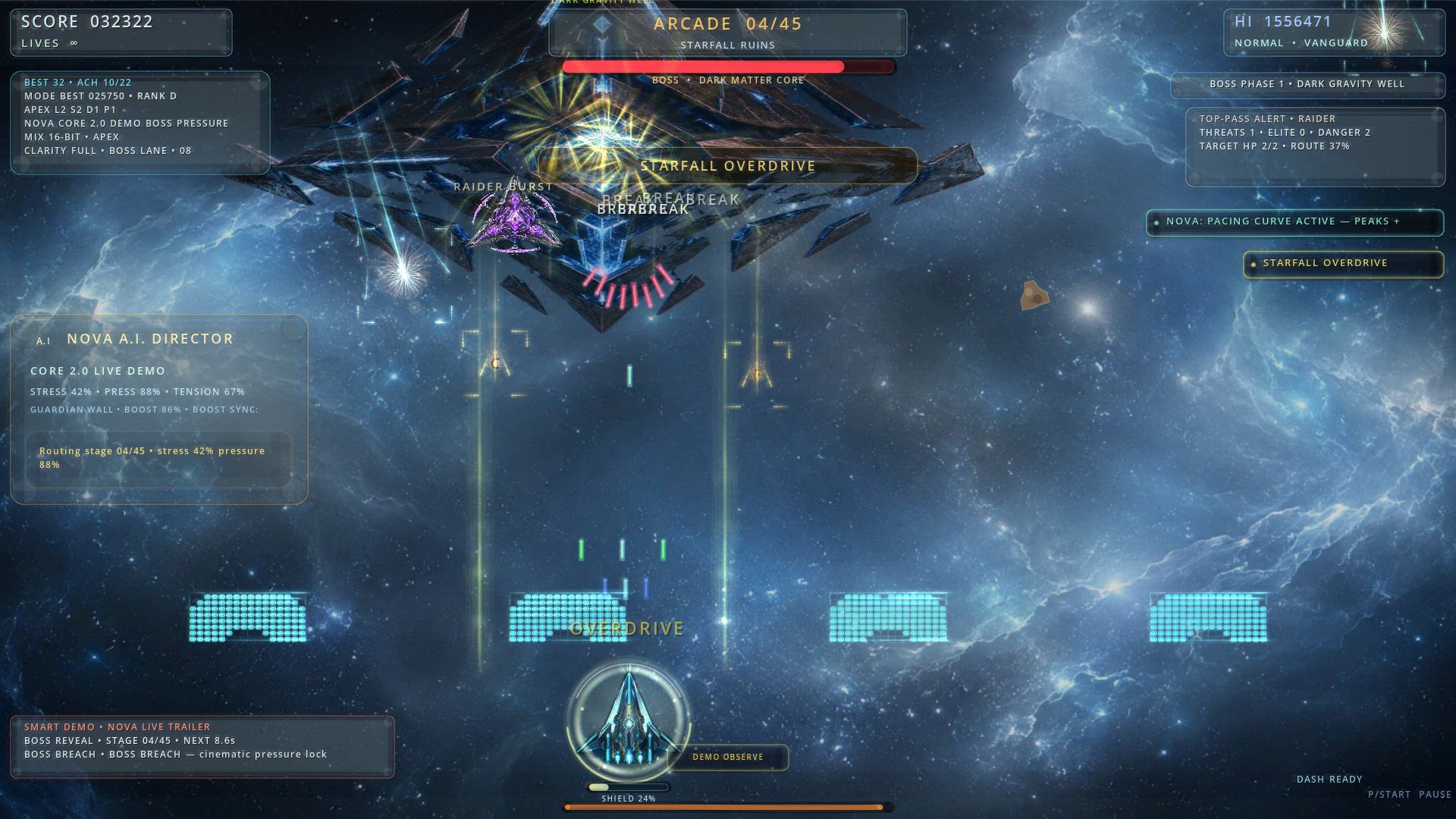
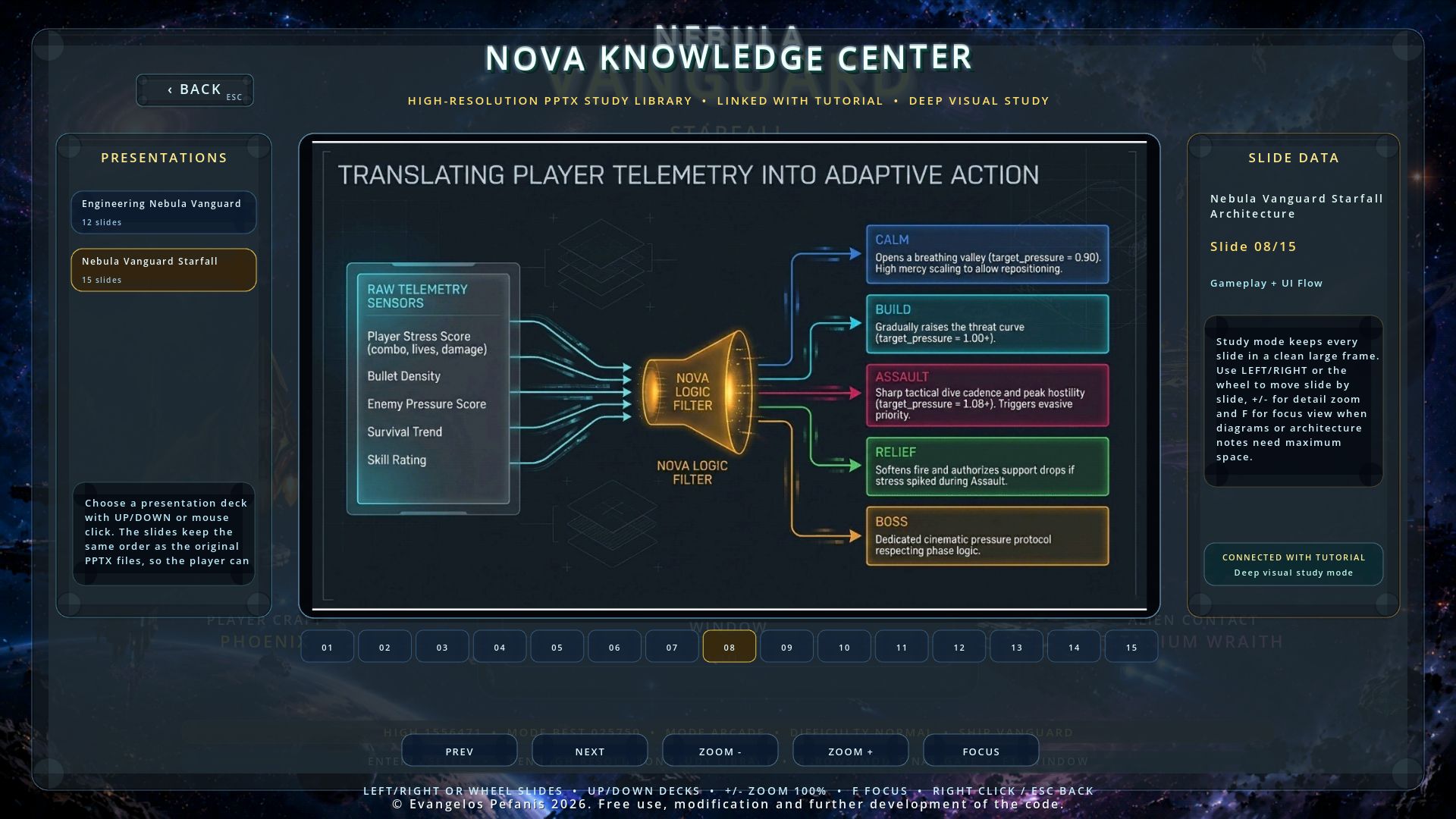
One of the key features of the game is NOVA A.I. Director 2.0. In this project, NOVA works as a dynamic gameplay director that monitors the flow of combat, including pressure, player stress, enemy density, damage, hits, survival state, wave phase, boss pressure, demo state and overall pacing. Based on this runtime information, it adjusts pacing, audiovisual intensity, feedback messages, support logic and battlefield presentation.
NOVA A.I. Director 2.0 helps the game feel more alive, more cinematic and more unpredictable during combat, while remaining fully editable inside the GDScript source code.
The game code is structured so it can be studied, modified and expanded. It includes systems for player movement, shooting, dash, overdrive, enemy waves, enemy formations, tactical dive attacks, boss battles, collision validation, damage handling, demo mode, visual FX direction, adaptive audio, menus, controls, codex, hangar, tutorial screens, NOVA Knowledge Center, profile, records, achievements, local save/load handling, Android touch input and overall game flow.
It can be used as a foundation for learning, experimentation, expansion or the development of new arcade projects.
Technology Foundation
The game is developed as a Godot 4.x project. It uses Godot's 2D rendering pipeline, CanvasItem drawing, shader-based overlays, texture-based sprites, custom runtime systems, local save data and dynamic audio/visual presentation.
The main programming language is GDScript, used to control gameplay, enemies, bosses, bullets, UI, menus, save data, visual effects, game modes, Android controls and progression.
The cleaned source package includes:
- Godot 4.x project configuration.
- 1 main scene: scenes/Main.tscn.
- A central gameplay/runtime controller with supporting GDScript system modules.
- 61 GDScript source files with English developer-style comments.
- 5 Python helper scripts.
- 2 batch launcher/build scripts.
- 30 waves/stages.
- 72 sprite PNG assets for player ships, enemy UFOs, bosses and visual elements.
- 31 background PNG assets, including stage backgrounds and menu background material.
- 60 WAV audio files for music, sound effects, boss sounds and UI feedback.
- 27 in-game NOVA Knowledge Center PNG slides.
- 4 Android launcher/adaptive icon PNG assets.
- Windows Desktop export configuration.
- Windows setup installer workflow through Inno Setup 6.
- Portable Windows build support.
- Android installable APK export preset configuration.
- Android touch movement, autofire, Dash, Overdrive, Pause and Back navigation support.
- START_HERE.bat launcher/check/build menu.
- BUILD_ANDROID_UNSIGNED_APK.bat for Android installable APK generation.
- Project integrity checker script.
- Android export readiness checker script.
- Clean source notes through README_EN.md, README_FIRST.txt and LICENSE.txt.
Generated folders, static installer outputs, release artifacts, caches, stale build files, old packaging files, PDF documents and the old Docs folder are not part of the cleaned source tree. Godot can regenerate local import caches when the project is opened.
Code and Architecture
The game logic is organized around a central Node2D gameplay controller responsible for game state, menus, stages, enemies, player behavior, bosses, bullets, power-ups, collisions, visual effects, audio routing, demo mode, records and progression.
The code includes systems for:
- Player movement, shooting, dash and Nebula Overdrive.
- Keyboard, mouse, gamepad and Android touch input support.
- On-screen Android controls for movement, autofire, Dash, Overdrive and Pause.
- Android Back navigation for menus, panels and safe cancel behavior.
- Input remapping for keyboard, mouse and gamepad.
- Enemy formations, tactical dive attacks and top-pass ships.
- Boss phase logic, boss directives and staged boss destruction sequences.
- Boss preview presentation in the main menu, including rotating boss names.
- Bullet validation, collision checks, graze detection and segment-based hit detection.
- Power-ups, shields, mines, comets, asteroids, score crystals and plasma gates.
- APEX upgrades and meta progression systems.
- NOVA A.I. Director 2.0 for adaptive combat pacing, pressure control, feedback and battle presentation.
- Visual FX director and adaptive audio director.
- Performance profiles and emergency FPS recovery logic.
- Five game modes: Campaign, Arcade, Survival Protocol, Boss Rush and Daily Challenge.
- Smart demo showcase and NOVA A.I. Demo mode.
- Main menu, options, controls, tutorial, codex, hangar, profile, records and achievements screens.
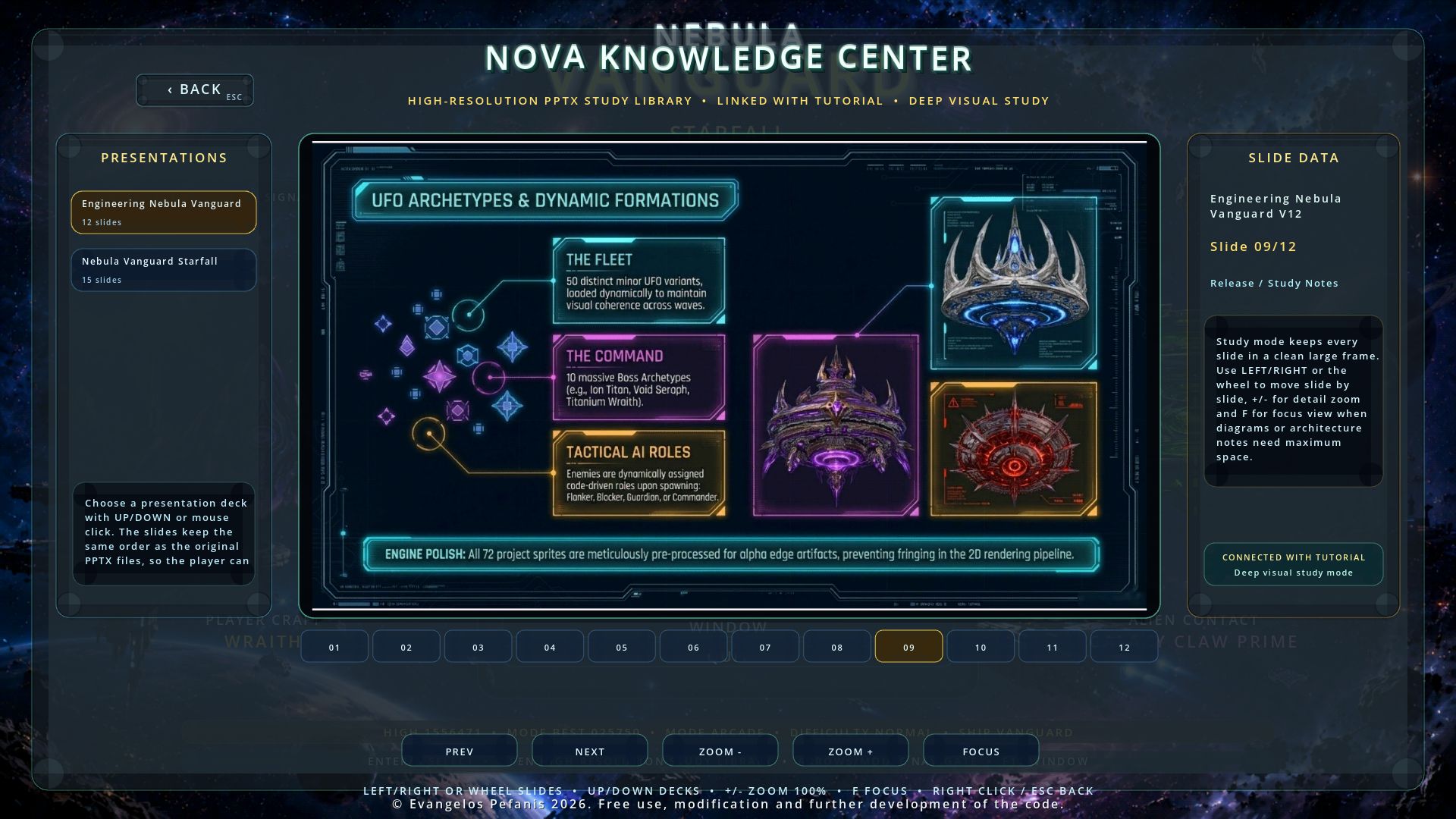
- NOVA Knowledge Center with slide deck navigation, large slide viewer, focus/zoom behavior and tutorial connection.
- Local save/load system with backup handling, migration safeguards and compatibility checks.
- Local records, profile statistics, achievements, daily challenge data and run progression.
- Windows setup, Windows portable build and Android installable APK build support.
The gameplay is built around a clean update loop: input, movement, enemy logic, bullet updates, collision validation, visual feedback, audio feedback and progression updates. This keeps the experience fast, readable and responsive even when many effects, enemies, bullets and objects are active on screen.
Gameplay Systems
Nebula Vanguard: Starfall includes five main gameplay modes.
Campaign
Campaign is the structured core route of the game. It uses 30 stages with escalating enemy waves, hazards, bosses and cinematic progression.
Arcade
Arcade is a faster score-focused mode designed for immediate action, higher tempo and quick reward flow.
Survival Protocol
Survival Protocol focuses on pressure, swarms, endurance and upgrade choices.
Boss Rush
Boss Rush presents a sequence of boss encounters where the player must learn attack patterns, manage dash timing and use Overdrive at the correct moment.
Daily Challenge
Daily Challenge uses a seeded local route for repeated attempts, score comparison and personal records.
The player can select different ships with distinct roles, movement feel and combat behavior. The combat flow combines movement, shooting, dodging, dash timing, Overdrive timing, shield management, power-up collection and reaction to enemy formations.
NOVA Knowledge Center
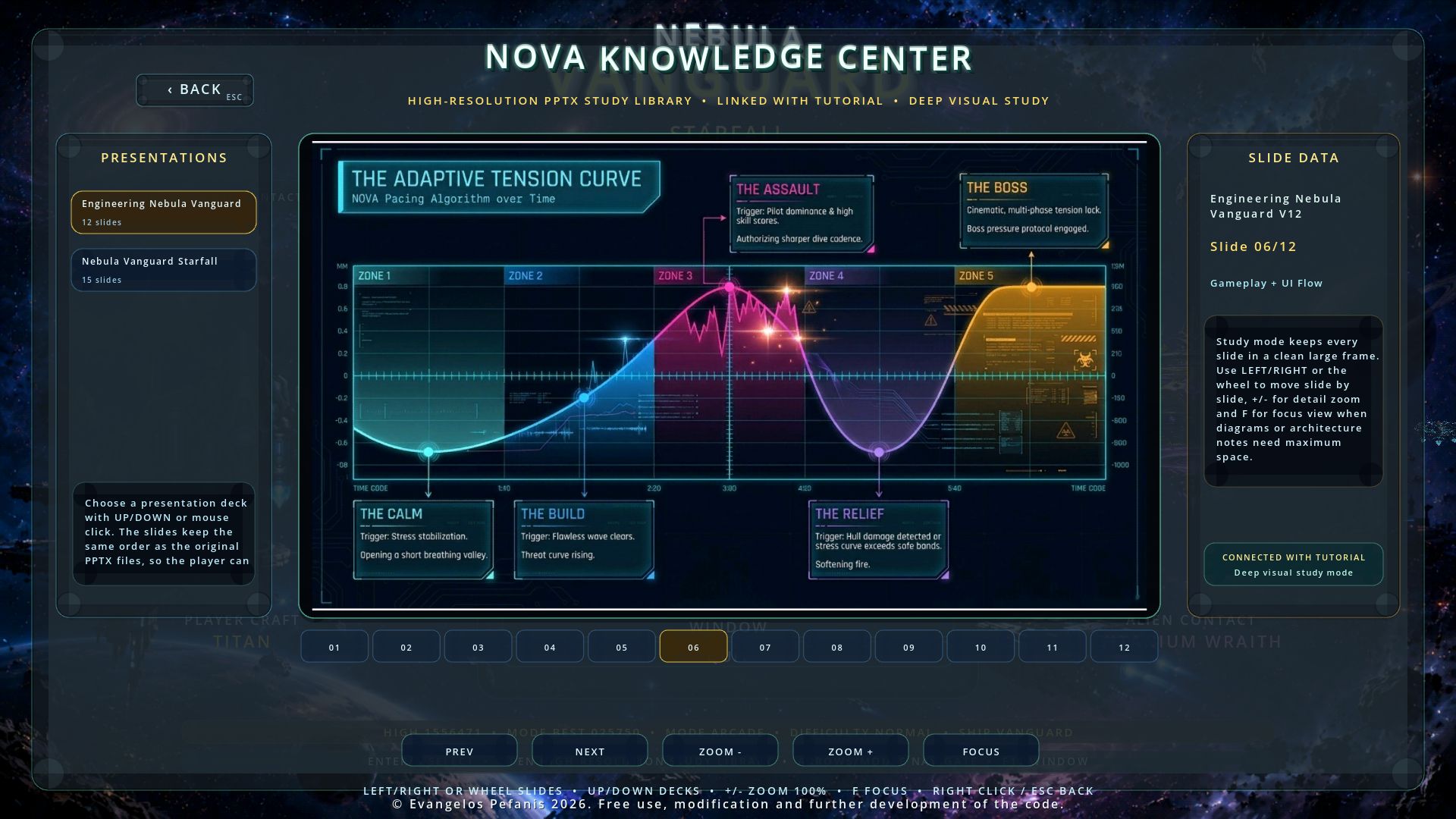
The NOVA Knowledge Center is an integrated in-game study and presentation system. It presents learning material through slide decks, large slide viewing, deck navigation, focus/zoom behavior and clean Back handling.
It supports the tutorial and helps the player or developer study gameplay concepts, project systems, ship behavior, boss logic, NOVA features and overall application structure directly inside the game.
The NOVA Knowledge Center makes Nebula Vanguard: Starfall useful not only as a playable arcade shooter, but also as a learning and study project for Godot, GDScript and 2D game system design.
Windows Version
The Windows version can be used either through an installer or through a portable build.
The setup installer workflow creates NebulaVanguardStarfall_Setup.exe through Inno Setup 6. It installs the game, creates optional shortcuts and allows the player to launch the game normally from Windows.
The portable build allows the exported executable to run directly from its output folder without a full installer workflow.
Game Installation Instructions for Windows Setup
- Create the Windows setup installer from START_HERE.bat.
- Locate NebulaVanguardStarfall_Setup.exe in the generated build/setup output.
- Right-click and choose Run as administrator if Windows requests installation privileges.
- Read and accept the license agreement displayed by the installer.
- Keep the suggested installation folder or choose your own folder.
- Select whether to create Desktop and Start Menu shortcuts.
- Click Install and let the installer complete the process.
- At the end, choose Launch Nebula Vanguard Starfall or start the game from the shortcut.
Portable Windows Instructions
- Export the Windows release from START_HERE.bat.
- Locate the generated Windows portable output folder.
- Open the folder that contains NebulaVanguardStarfall.exe.
- Run NebulaVanguardStarfall.exe directly.
- Keep the executable and its exported data files together in the same folder.
- Do not move individual runtime files away from the portable build folder.
Android Version
Nebula Vanguard: Starfall includes an Android installable APK export workflow. The Android version supports touch movement, autofire, on-screen Dash, Overdrive, Pause and Android Back navigation.
The Android build workflow is designed for local testing, manual APK installation and further signing or packaging by the developer.
The Android workflow expects:
- Godot Engine 4.x.
- Godot Android export templates.
- Android Gradle Build Template.
- JDK 17.
- Android SDK Platform 35.
- Android SDK Build-Tools 35.0.1.
- Android Min SDK 24.
- Android target SDK 35.
- Android installable APK export preset.
Android APK Generation Instructions
- Extract all project ZIP parts into the same parent folder and allow the common NebulaVanguard folder to merge.
- Open START_HERE.bat.
- Choose option 6: Build Android installable APK.
Alternatively, run:
BUILD_ANDROID_UNSIGNED_APK.bat
The generated installable APK is created at:
build/android/NebulaVanguardStarfall_Android_Installable.apk
The APK workflow is intended for local testing and developer-side signing/distribution preparation according to the developer's needs.
Source Notes and License Files
The cleaned package includes the following source-level text files:
- README_EN.md
- README_FIRST.txt
- LICENSE.txt
These files provide the essential project overview, launch guidance, build workflow notes, package structure information and license terms.
The cleaned package does not include the old Docs folder or PDF documentation files. The in-game NOVA Knowledge Center remains available as an integrated study and presentation system through PNG slide assets inside the game project.
Package and Validation Workflow
The project includes validation tools for checking the source/release package.
The integrity checker validates required files, asset directories, import metadata, source structure, Python helper syntax, retained runtime asset sets, Knowledge Center slide definitions, export filters and empty directories.
The Android readiness checker validates Android export settings, Android icons, launcher behavior, runtime configuration, JDK/SDK expectations and Android installable APK export readiness.
Each release part is a normal independent ZIP file. No .001/.002 join process and no extraction script is required. All ZIP parts can be extracted into the same parent folder and merged into the common NebulaVanguard directory.
Nebula Vanguard: Starfall is more than an arcade game. It is a complete cleaned Godot source project with code, graphics, audio, visual effects, Android export support, Windows setup workflow, portable Windows support and a technical foundation that can be studied, modified and developed further.
With this package, you receive the current Version 11 cleaned source release, runtime assets, Windows setup workflow, portable Windows support, Android installable APK workflow and the ability to use, study, modify and further develop the code according to the included license.
Copyright
© Evangelos Pefanis 2026
Free use, modification and further development of the code according to the included license.
Download
Install instructions
Οδηγίες εγκατάστασης παιχνιδιού για την εγκατάσταση των Windows
- Δημιουργήστε το πρόγραμμα εγκατάστασης των Windows από το START_HERE.bat.
- Εντοπίστε το NebulaVanguardStarfall_Setup.exe στο δημιουργημένο αποτέλεσμα build/setup.
- Κάντε δεξί κλικ και επιλέξτε Εκτέλεση ως διαχειριστής εάν τα Windows ζητούν δικαιώματα εγκατάστασης.
- Διαβάστε και αποδεχτείτε την άδεια χρήσης που εμφανίζεται από το πρόγραμμα εγκατάστασης.
- Κρατήστε τον προτεινόμενο φάκελο εγκατάστασης ή επιλέξτε τον δικό σας φάκελο.
- Επιλέξτε εάν θα δημιουργήσετε συντομεύσεις για την επιφάνεια εργασίας και το μενού "Έναρξη".
- Κάντε κλικ στην επιλογή Εγκατάσταση και αφήστε το πρόγραμμα εγκατάστασης να ολοκληρώσει τη διαδικασία.
- Στο τέλος, επιλέξτε Launch Nebula Vanguard Starfall ή ξεκινήστε το παιχνίδι από τη συντόμευση.
Οδηγίες για φορητά Windows
- Εξαγάγετε την έκδοση των Windows από το START_HERE.bat.
- Εντοπίστε τον δημιουργημένο φάκελο φορητής εξόδου των Windows.
- Ανοίξτε τον φάκελο που περιέχει το NebulaVanguardStarfall.exe.
- Εκτελέστε απευθείας το NebulaVanguardStarfall.exe.
- Διατηρήστε το εκτελέσιμο αρχείο και τα εξαγόμενα αρχεία δεδομένων του μαζί στον ίδιο φάκελο.
- Μην μετακινείτε μεμονωμένα αρχεία χρόνου εκτέλεσης μακριά από τον φάκελο φορητής έκδοσης.
Έκδοση Android
Το Nebula Vanguard: Starfall περιλαμβάνει μια ροή εργασίας εξαγωγής APK με δυνατότητα εγκατάστασης στο Android. Η έκδοση για Android υποστηρίζει κίνηση με αφή, αυτόματη ενεργοποίηση, Dash στην οθόνη, Overdrive, Pause και πλοήγηση Android Back.
Η ροή εργασίας δημιουργίας Android έχει σχεδιαστεί για τοπικές δοκιμές, χειροκίνητη εγκατάσταση APK και περαιτέρω υπογραφή ή συσκευασία από τον προγραμματιστή.
Η ροή εργασίας Android αναμένει:
- Μηχανή Γκοντό 4.x.
- Πρότυπα εξαγωγής Godot για Android.
- Πρότυπο δημιουργίας Android Gradle.
- JDK 17.
- Πλατφόρμα 35 του Android SDK.
- Εργαλεία δημιουργίας SDK Android 35.0.1.
- Android Min SDK 24.
- SDK στόχου Android 35.
- Προεπιλογή εξαγωγής APK με δυνατότητα εγκατάστασης σε Android.
Οδηγίες δημιουργίας APK Android
- Εξαγάγετε όλα τα τμήματα ZIP του έργου στον ίδιο γονικό φάκελο και επιτρέψτε τη συγχώνευση του κοινού φακέλου NebulaVanguard.
- Ανοίξτε το START_HERE.bat.
- Επιλέξτε την επιλογή 6: Δημιουργήστε ένα APK με δυνατότητα εγκατάστασης σε Android .
Εναλλακτικά, εκτελέστε:
BUILD_ANDROID_UNSIGNED_APK.bat
Το δημιουργημένο APK με δυνατότητα εγκατάστασης δημιουργείται στη διεύθυνση:
build/android/NebulaVanguardStarfall_Android_Installable.apk
Η ροή εργασίας APK προορίζεται για τοπικές δοκιμές και προετοιμασία υπογραφής/διανομής από την πλευρά του προγραμματιστή σύμφωνα με τις ανάγκες του προγραμματιστή.
Leave a comment
Log in with itch.io to leave a comment.